Private by design
No account, no analytics, no tracking. Your invoices, customers and business details live only on your device.



Slipstream Invoices is an offline-first invoicing app for small business. Build branded PDF invoices and quotes on your phone, send them to clients in a couple of taps, and keep every bit of your data on your device.
100% offline. No sign-up, no subscription service, nothing leaving your phone unless you send it.
No account, no analytics, no tracking. Your invoices, customers and business details live only on your device.
Generate clean A4 invoices and quotes with your logo, accent colour, tax ID and payment details baked in.
Send a quote, then turn it into an invoice in one tap when the job is approved — no retyping.
Configurable prefixes and counters produce document numbers like INV-0001 and QTE-0007, always in sequence.
Import clients straight from your contacts and keep a reusable catalog of items and rates to build documents fast.
Export a full JSON backup you can restore on a new device, or a CSV of your documents for your records or accountant.
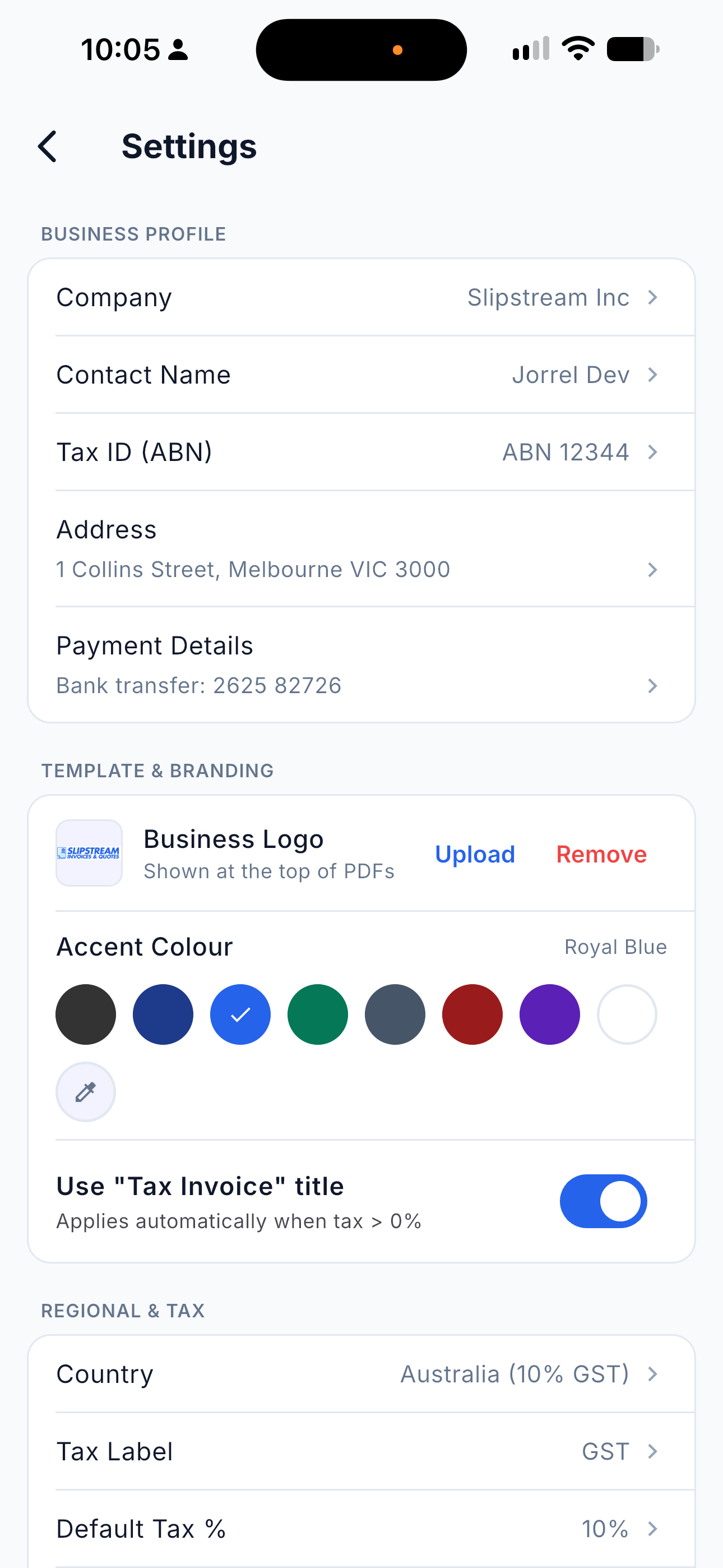
Add your business name, tax ID, payment details, logo and regional tax preset once — every document picks it up automatically.
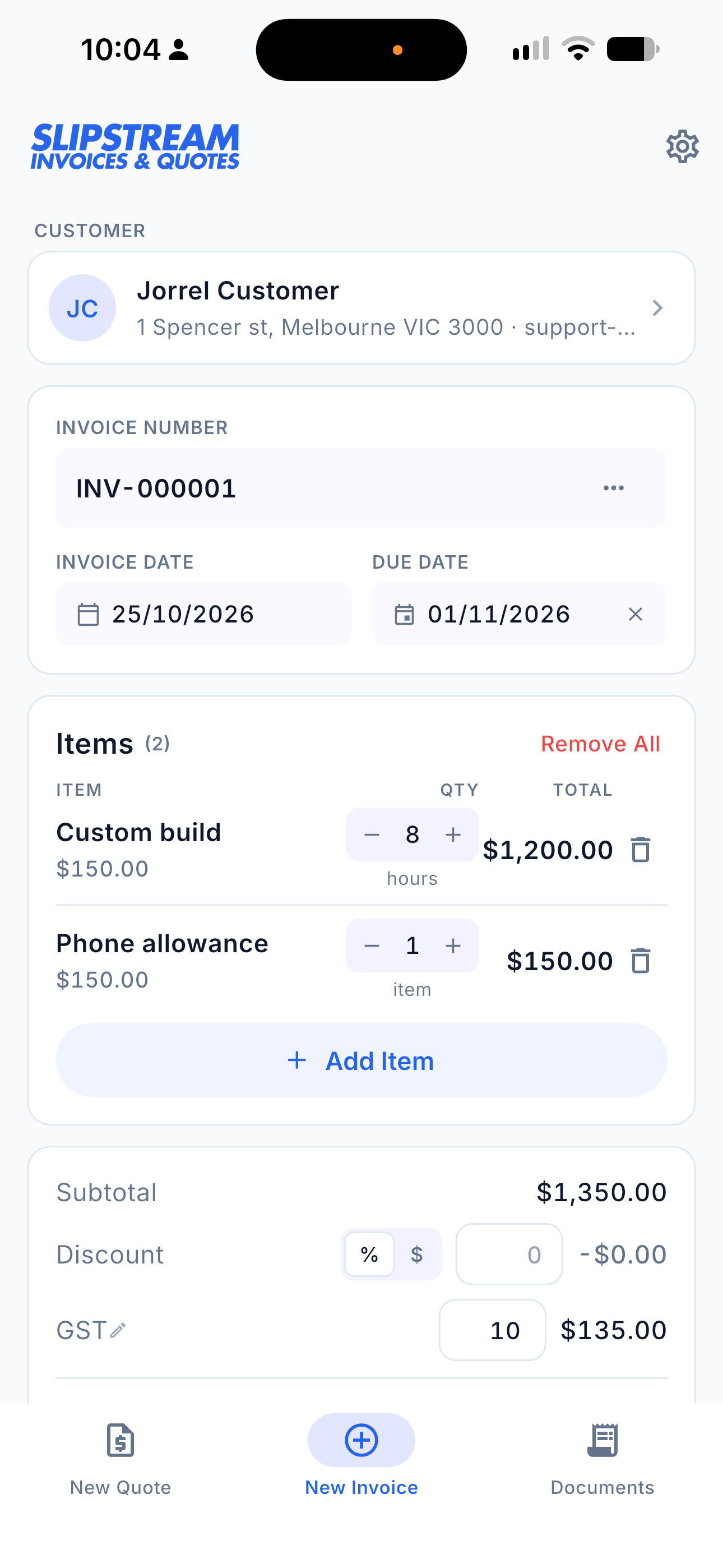
Pick a customer, add items from your catalog, apply discounts and tax. Drafts autosave as you type.
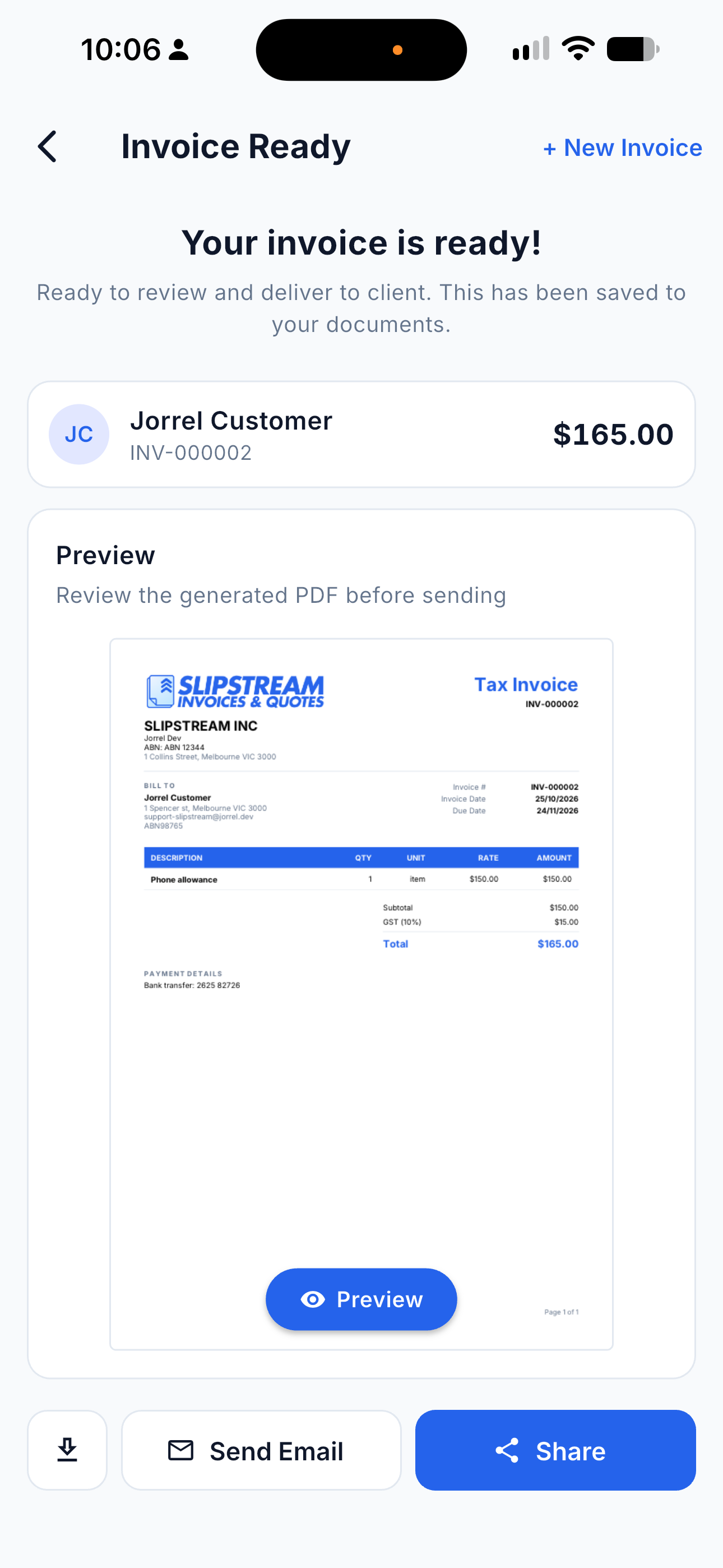
See the finished document instantly, then email it straight to your client or share it however you like.
Quick answers about Slipstream Invoices. Can't find what you're looking for? Head to the support page or email us directly.
Contact supportSlipstream Invoices is coming soon to the App Store and Google Play — one purchase, yours for good.
Questions? support-slipstream@jorrel.dev